How it works
It starts with four questions.
Name, photo, breed and age. From there every screen, tip and reminder is shaped around your dog, and the more Snootly knows them, the more personal it gets.
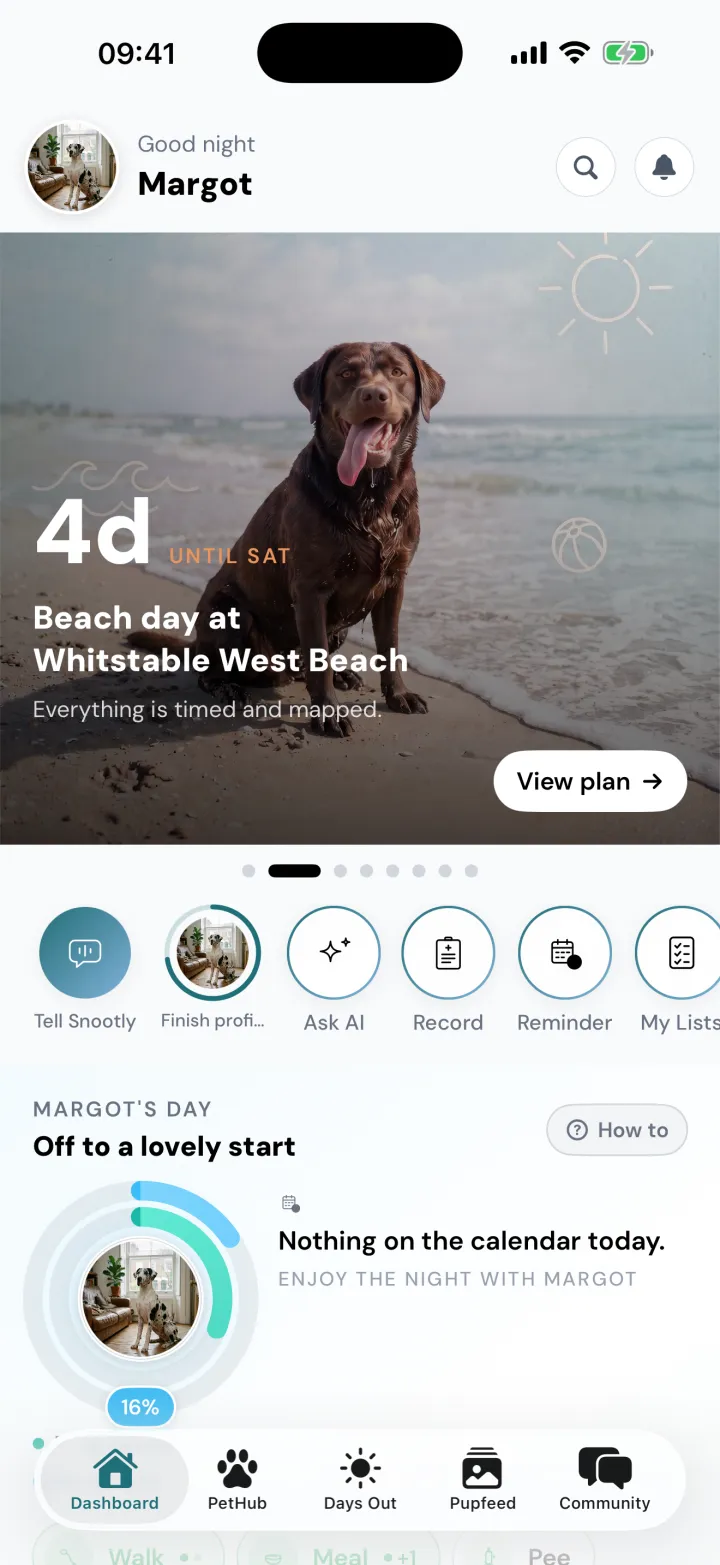
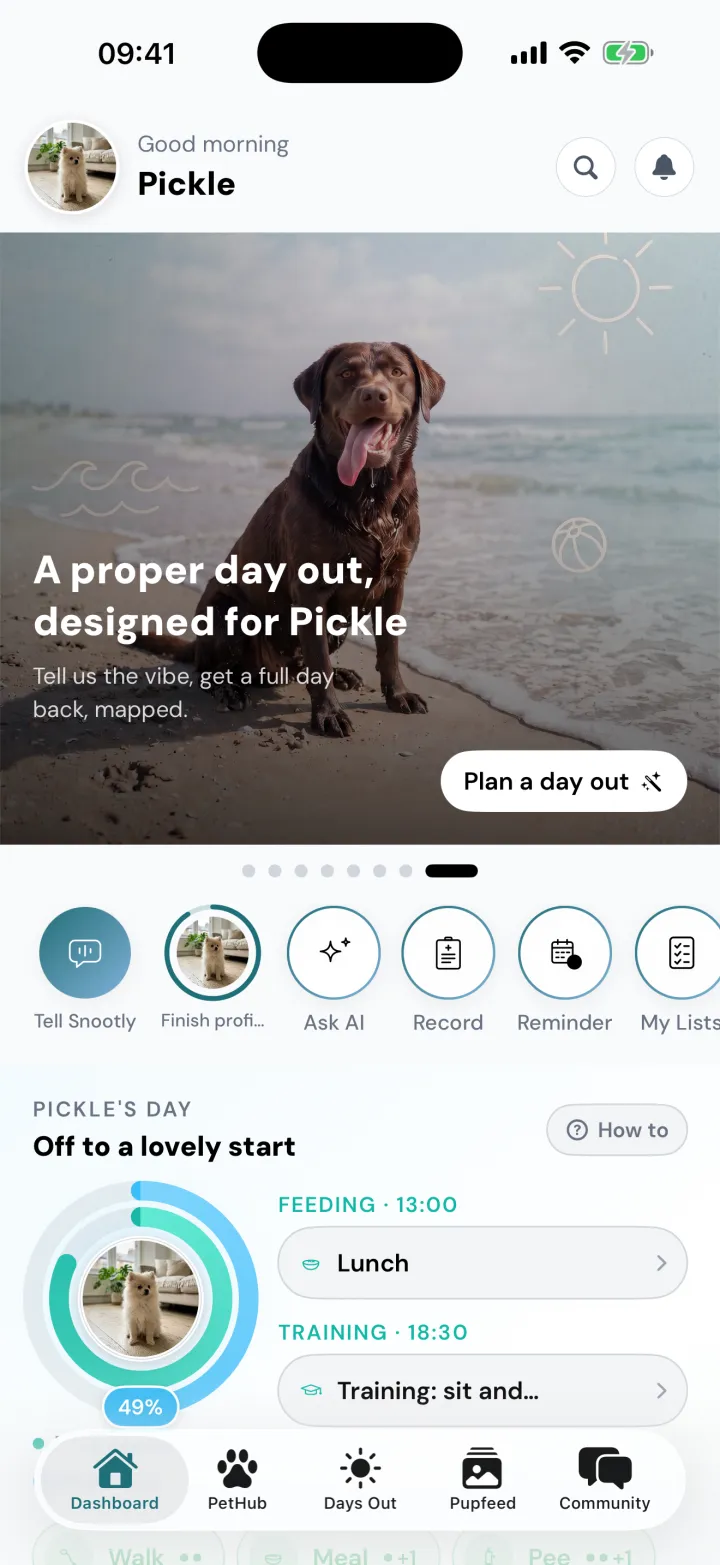
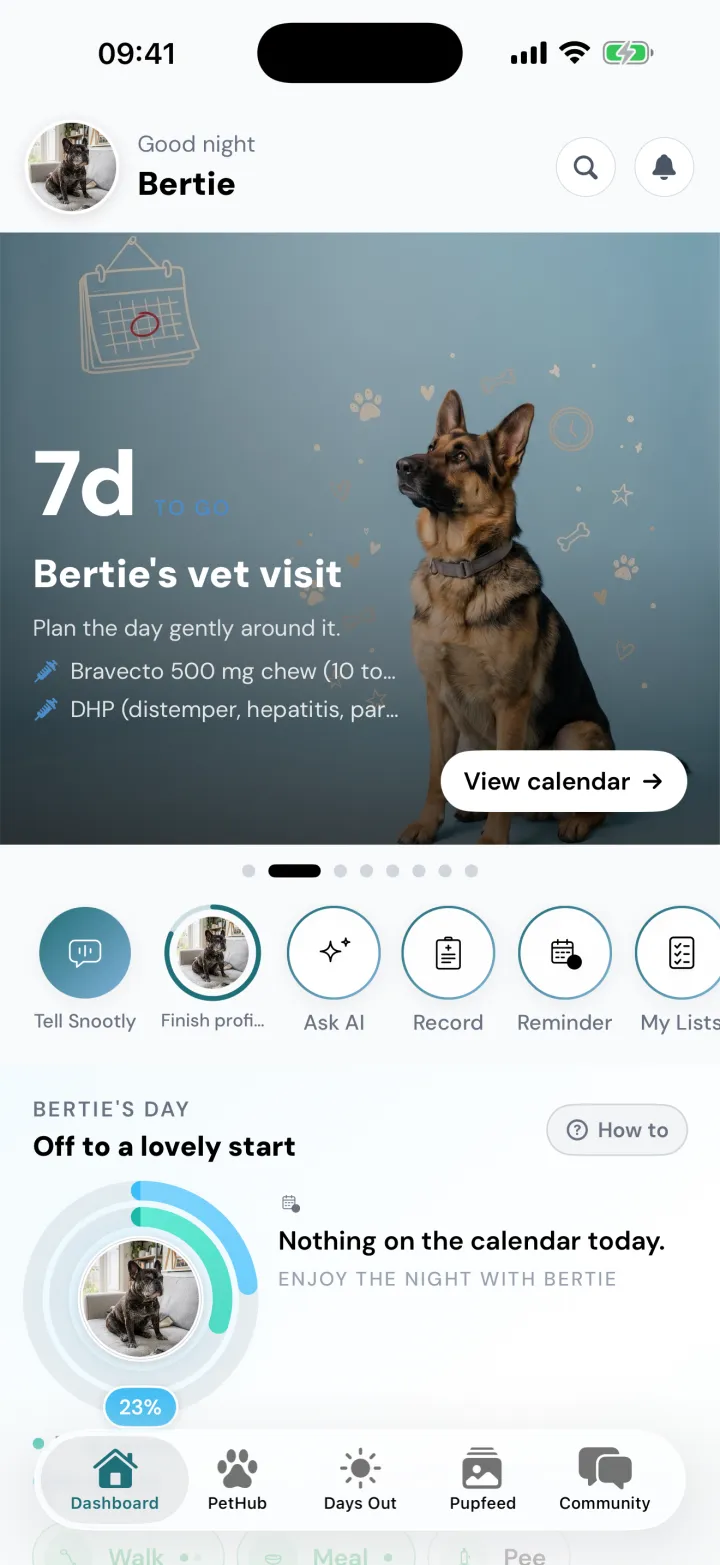
Margot
Great Dane, 3
Her beach day is in 4 days
Pickle
Pomeranian, 20 weeks
A day out, designed for him
Bertie
French Bulldog, 11
His vet visit is in 7 days
One app, three dogs, three different mornings. Real screens from Snootly.
Four questions, and Snootly knows who it is for.
Their name, a photo, their breed and their age, one question at a time. Then tell Snootly what you care about most, and it shapes your shortcuts around it.
- 264 breeds to search. Mixed breed and Not sure yet are perfectly good answers.
- No birthday? No problem. Years and months will do.
- Eight things to care about, from walks and adventures to routines and reminders. Pick as many as you like.
- The rest can wait. Weight, allergies, their vet and more can be added later, one small card at a time.
A home screen that is all about them.
This is Pickle's, exactly as the app draws it. Follow the tour, or pick a part to see what it does.
One tap, and the day adds up.
Walks, meals, toilet stops and play each take a tap, and the Daily Ring shows how the day is going. Try it: this one scores exactly like the app. The day starts fresh at 2am.

- Daily basics
- 50%
- All activity
- 25%
Daily basics 50 percent, all activity 25 percent.
Tap to log
Daily basics, inside
Full at two walks, two pees, two poops, one meal and one play.
All activity, outside
Basics count at half, a Moment adds 15%, anything else 8%. It can go round three times.
Say it. Snootly sets it up.
Tell Snootly is the first shortcut on your home screen for a reason. Say what you need in your own words and it turns it into reminders and plans for you to check. Nothing is saved until you tap.
Tell Snootly
Say it. Snootly sets it up.
You said
“Remind me to trim Pickle's nails every Sunday at 10”
- ReminderTrim Pickle's nailsEvery Sunday, 10:00
Nothing is saved until you tap Do it.
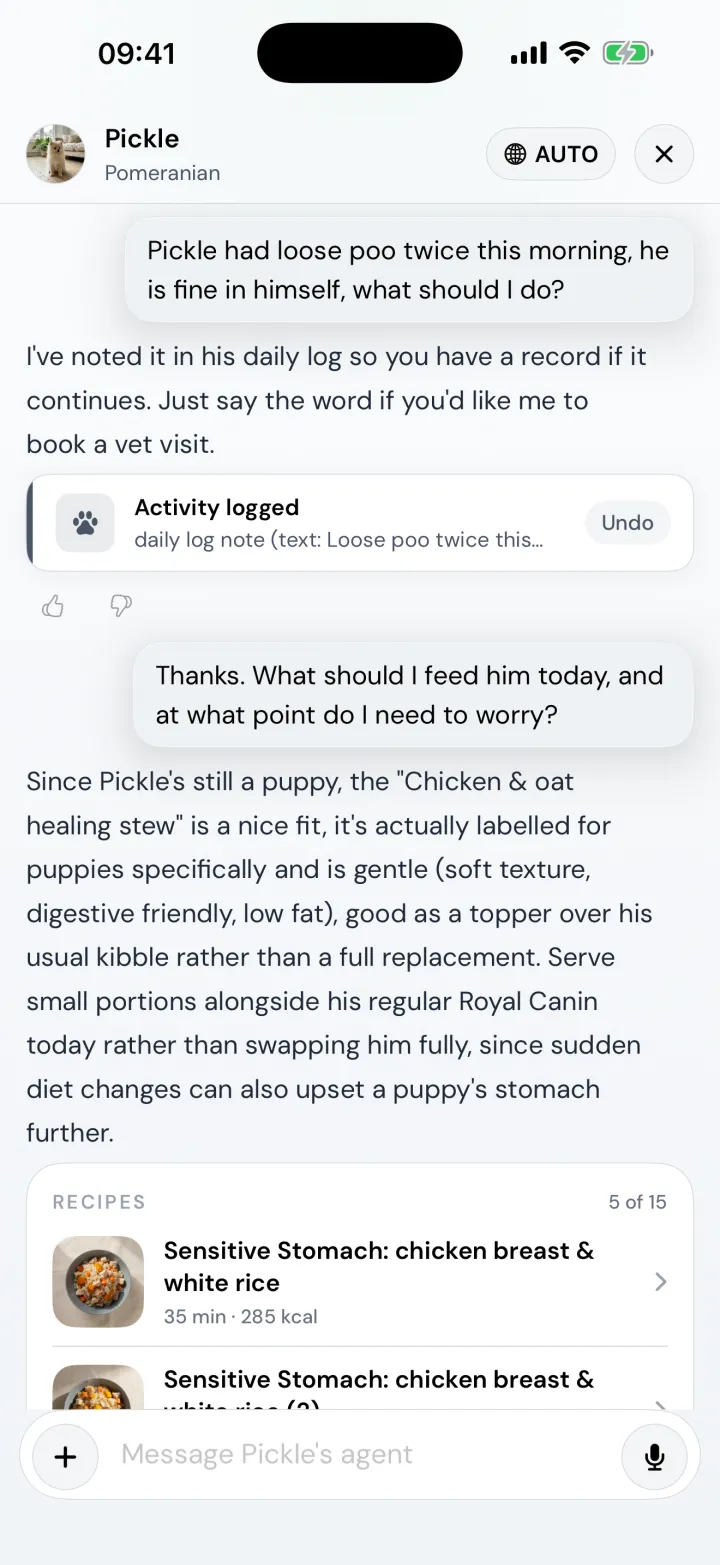
Or just chat.
Tell Snootly Agent what happened and it can log it for you, with an Undo if it got it wrong. Its answers can be wrong too, and never replace your vet.
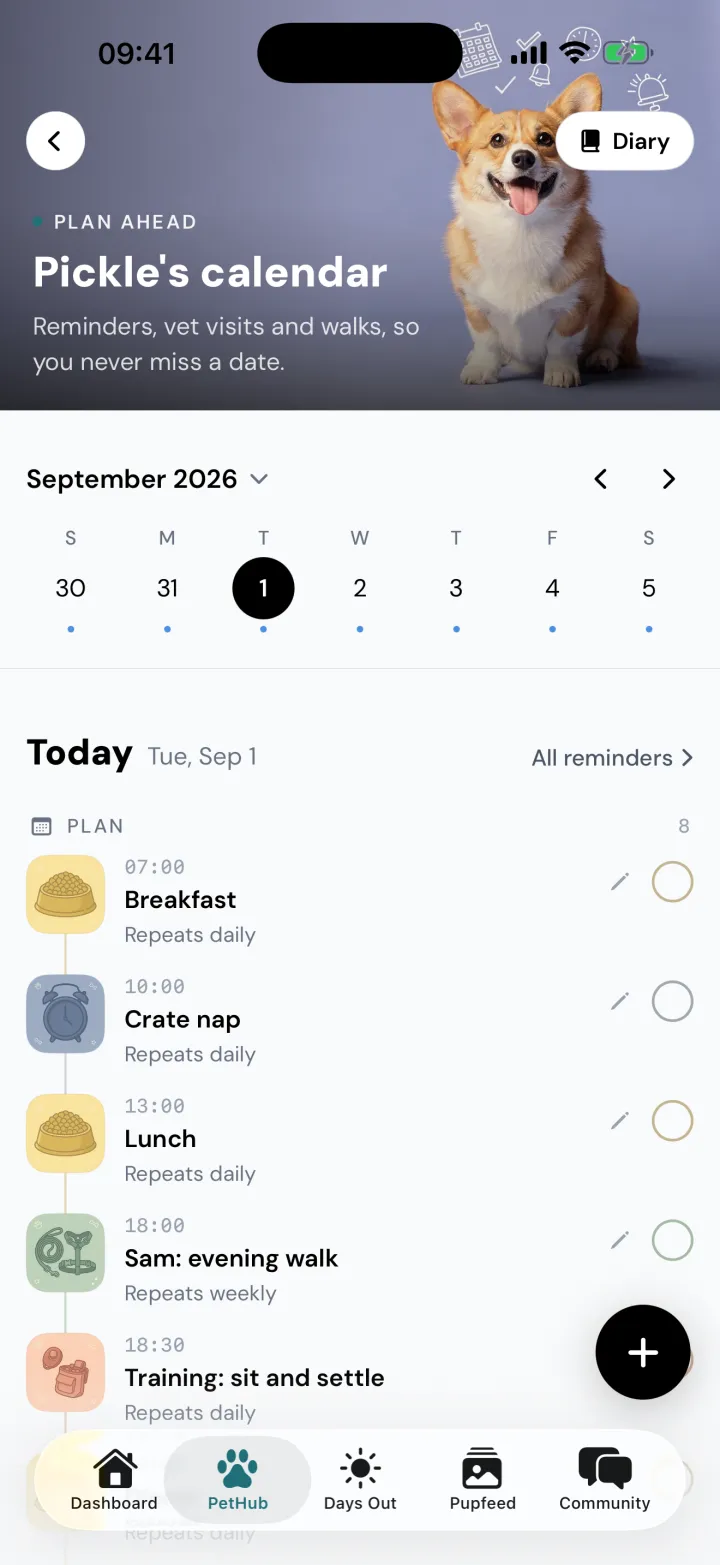
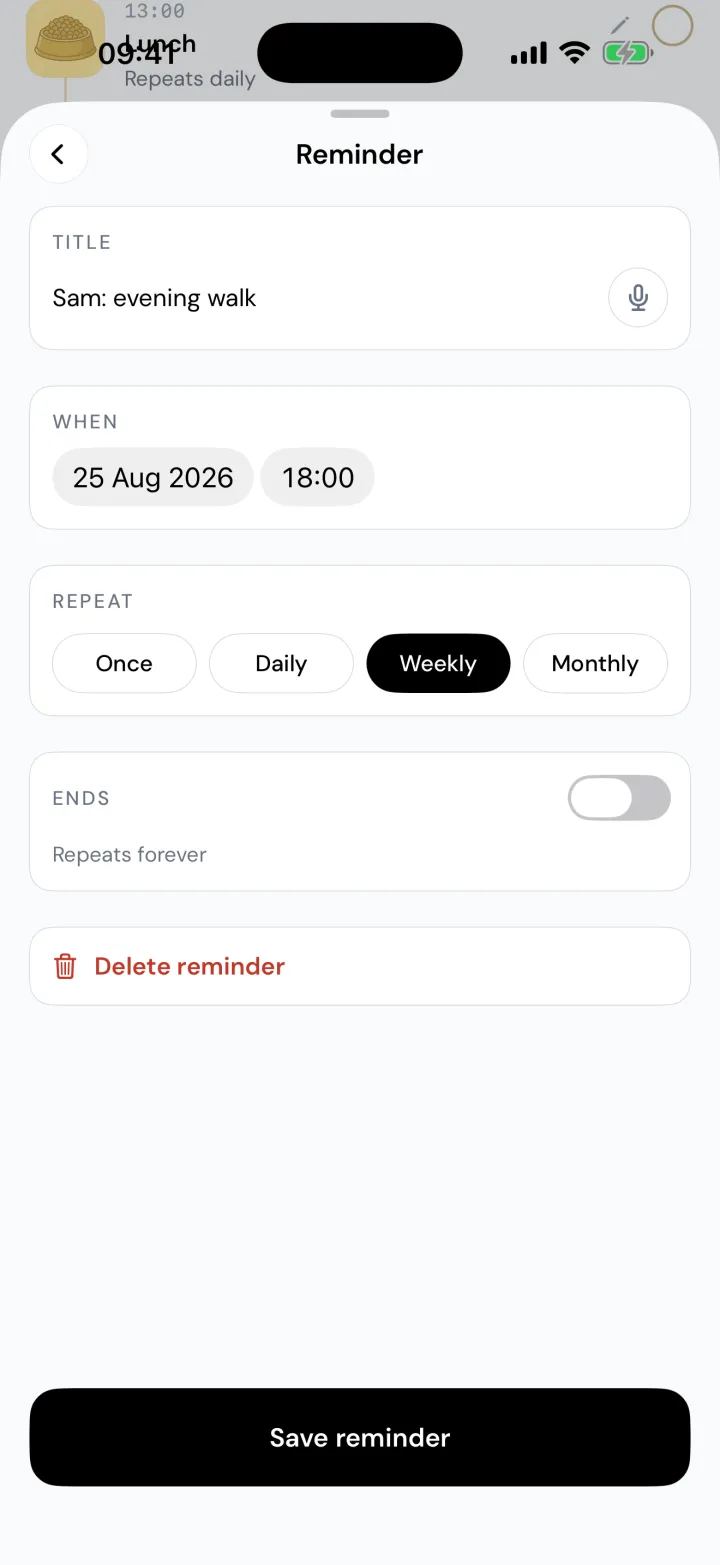
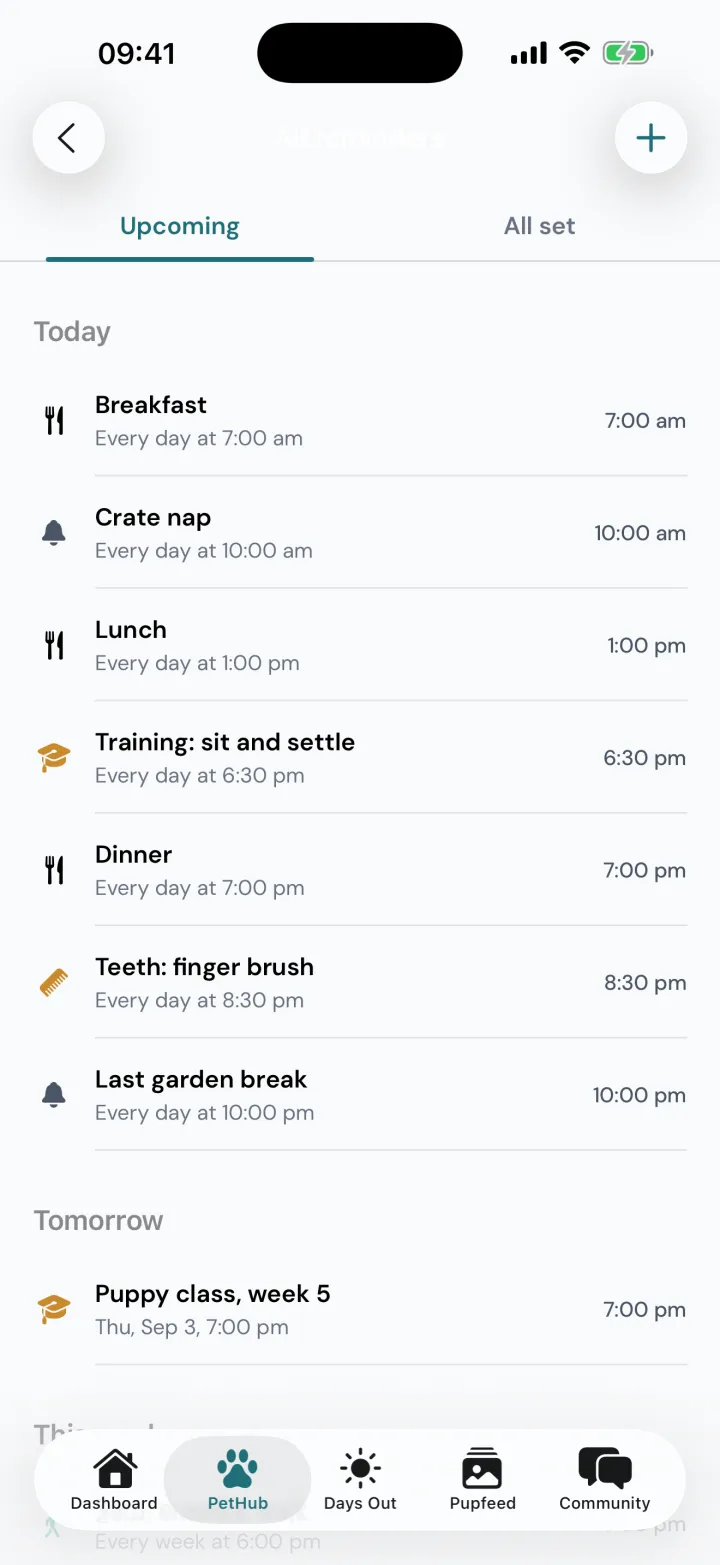
Paw Calendar remembers, so you do not have to.
Meals, medicines, vet visits, grooming and training, on one calendar. Reminders repeat on their own, and Snootly can copy them into your Apple or Google calendar.
And then
The more it knows, the more it is theirs.
Snootly only uses what you tell it and what you log. Pick anything it learns to see where it shows up.
Pickle
Snootly learns
Breed
And shapes
- A story about their breed family
- Life stage timing for their size
- A walk guide sized for them
Your call on AI
Nothing goes to the AI until you say yes, and you can change your mind in your profile.
You can see what it remembers
Each dog has a memory page. Forget anything, any time.
Your data, explained
The privacy notice says what is kept, where and for how long. Read it
One membership
All of it, for every dog on your account.
Snootly Pro unlocks the whole app. Eligible Apple Accounts can try it free for 7 days first.
Getting started questions.
Something else on your mind? Ask us
How long does it take to get started?
About a minute. Snootly asks four questions, your dog's name, a photo, their breed and their age, and then what you care about most. Everything else, from weight to allergies, can wait until you are ready.
Can I add more than one dog?
Yes. Every dog on your account gets their own profile, home screen and history, and one membership covers them all. Switch between them from the photo at the top of the home screen.
Do I have to log everything?
No. Log what helps you. The Daily Ring only shows what has been logged, so it is a picture of your day rather than a score to chase, and a quick tap or a sentence to Tell Snootly is usually enough.
How does Snootly get more personal over time?
It uses what you tell it: your dog's breed, age and weight, the things you care about, what you log each day and, if you allow the AI features, what you tell Snootly Agent. That shapes your shortcuts, tips, training suggestions and portions. You can see and delete what the agent remembers.
Does anything go to AI without asking?
No. The first time you use an AI feature, Snootly asks. Nothing is sent to the AI providers until you say yes, and you can change your mind in your profile settings.
Can my partner or dog walker use it too?
Yes. Invite them by email as a co-owner or a caregiver. Everyone sees the same dog and the same day, and anything they log shows their name. Each person needs their own membership.
Newsletter
Stay in the loop.
Get Snootly updates, dog-friendly finds and useful dog-life tips in your inbox.
Unsubscribe from any email, any time.